Your agent in 5 minutes
You have an agent that already works on your laptop and you want it running in your AWS account, isolated in a MicroVM and with its model credential out of its reach. This page does it with one command and no changes to its code. The details of each step are in Deploy your agent.
What you need
- Rayito set up in your account, with the
rayito-base-capsimage published (rayito setup --caps-image). - A Bedrock API key in the
AWS_BEARER_TOKEN_BEDROCKvariable (or your provider's:ANTHROPIC_API_KEY,OPENAI_API_KEY…). - An agent project with its lockfile (
uv.lock,requirements.txtorpackage-lock.json) and the model id in the code. A LangGraph graph, a Strands agent, a deepagents agent, a Vercel AI SDK agent, a Hermes agent or an HTTP app will do.
1. See what it detects
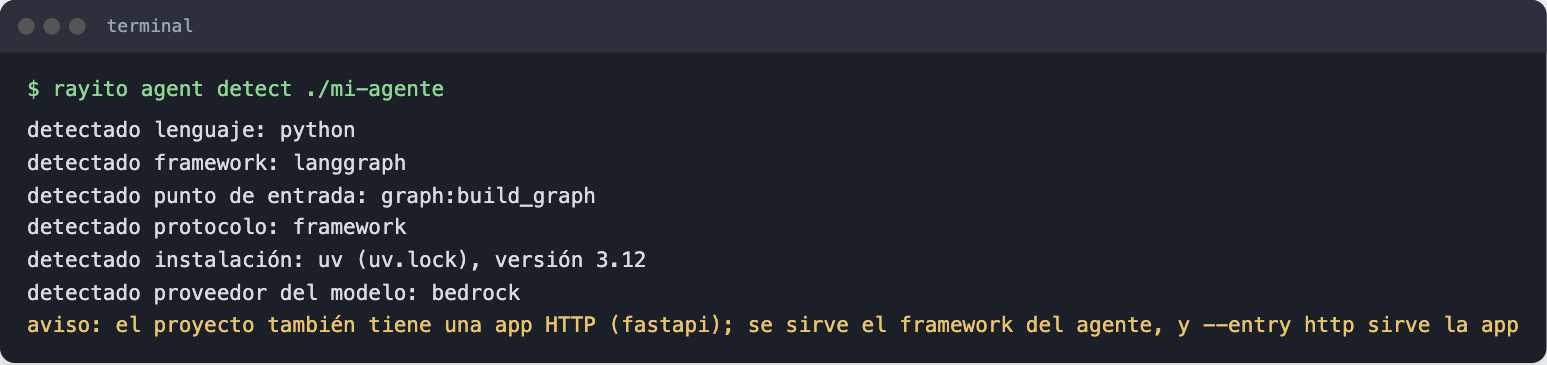
It reads the project files; it does not run your code or call AWS. If something
is not what you expected, change it with --framework, --entry or by writing
the key in a rayito-agent.toml (--write saves it for you to edit).
2. See the plan and the cost
rayito agent deploy ./mi-agente --dry-run --max-sessions 2 --min-vms 1 --max-vms 2 --warm 1 --memory 4096
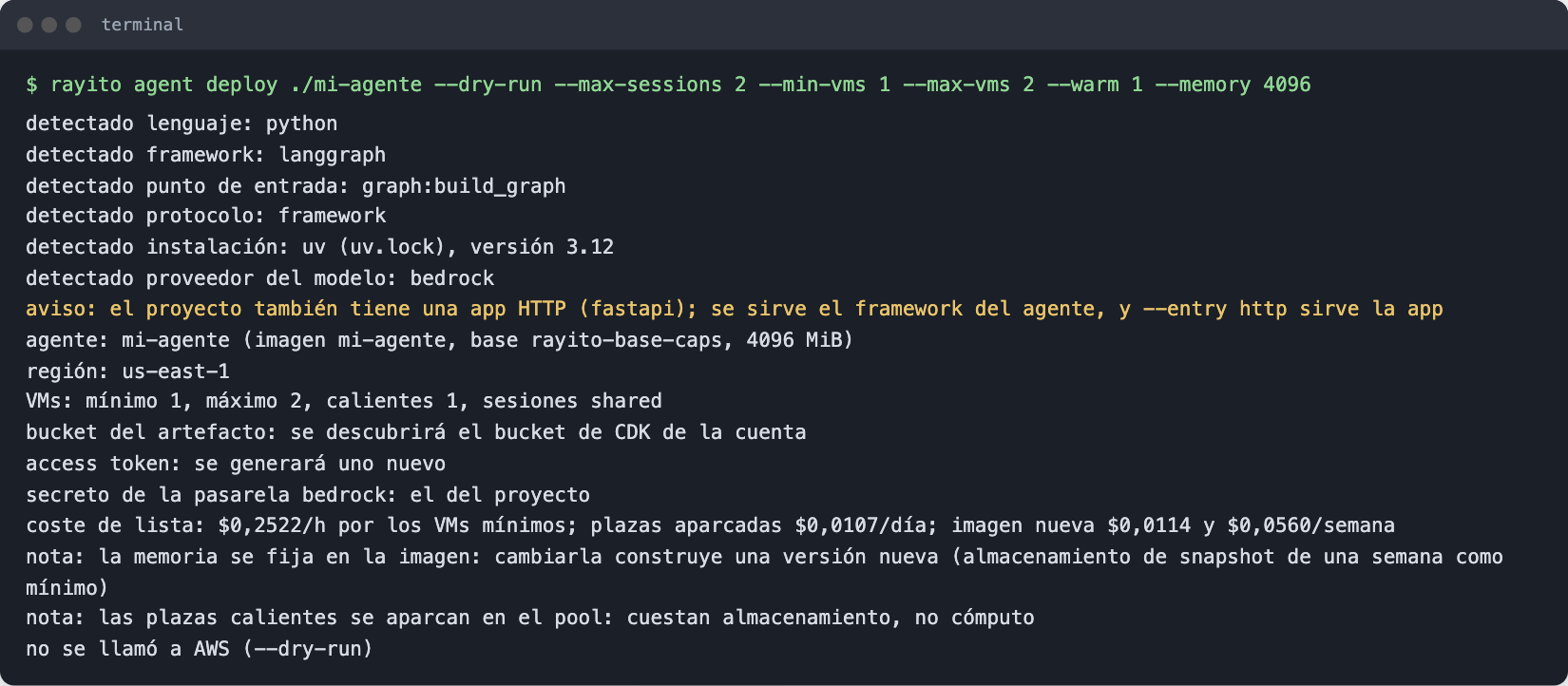
It creates nothing. It tells you which bucket, secret and base image it would use, how many VMs you would have and how much each costs per hour.
3. Deploy it
export AWS_BEARER_TOKEN_BEDROCK=...        # your key; it is stored in Secrets Manager and not written to disk
rayito agent deploy ./mi-agente --create-secret
The first time it builds the agent image (a few minutes: it installs the
runtime and your dependencies with their pinned versions); later times reuse it
if nothing changed. When done it prints the fleet name and leaves the access
token in .rayito/agent-token (mode 0600; do not commit it).
4. Call it
5. Stop it
It terminates every VM of the fleet. If you do not stop it, it lives at most 8
hours and bills while it runs; with --idle 300 it suspends itself when nobody
uses it and bills no compute.
Next
- Several sessions and several VMs: more than one conversation at a time, queue, warm slots and what happens if the app dies.
- Deploy your agent: the project file, the frameworks and how the credential reaches the model.
- Deploy to AgentCore: the same project
on Amazon Bedrock AgentCore Runtime with
--target agentcore, without local Docker (the image is built in CodeBuild). - Deploy with CDK: the agent as a
RayitoAgentconstruct in your CDK app, deployed withcdk deploy.